NDIS rostering software should connect timesheets, payroll, and claim readiness
A practical article for NDIS providers reviewing roster evidence, timesheet approval, SCHADS-aware payroll handoff, and NDIS claim readiness.
4
handoffs one roster must explain
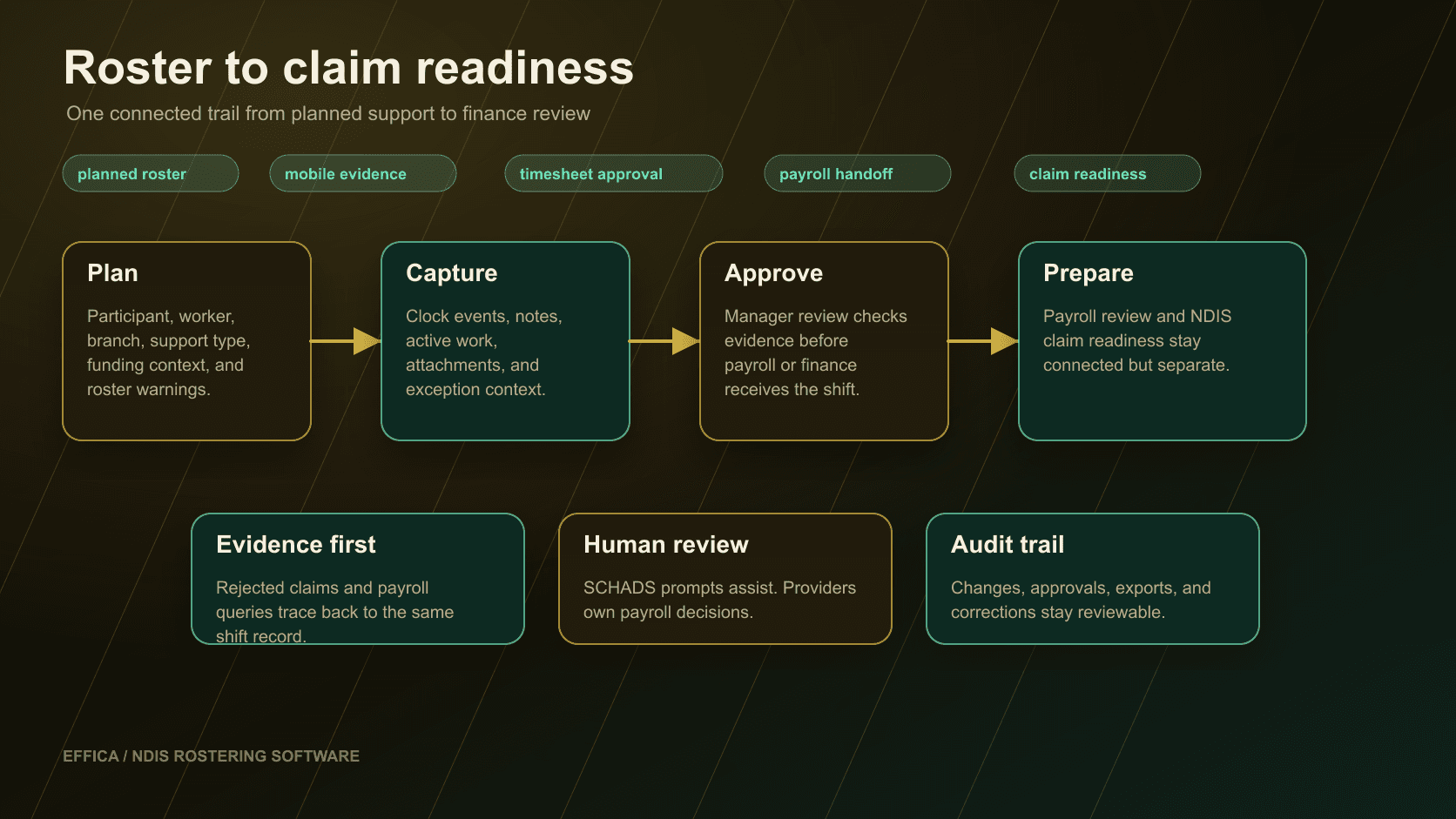
A published shift is not the whole record.
The roster is the start of the evidence trail
NDIS record-keeping guidance says providers need complete and accurate records of supports delivered, including support logs, rosters, case notes, and service agreements. Source: NDIS record-keeping requirements.
That turns NDIS rostering software into more than a calendar. The roster should preserve participant, worker, branch, support type, scheduled time, changed time, cancellation context, mobile notes, attachments, manager approval, and downstream finance status.
The public Effica NDIS rostering software page now anchors that product story: rostering is the operating path between service planning, delivery evidence, timesheets, payroll review, and claim readiness.
Effica NDIS rostering software
Review the public product page for roster evidence, approvals, payroll handoff, and claim readiness.
NDIS record keeping
Official NDIS provider record-keeping guidance for support delivery records.
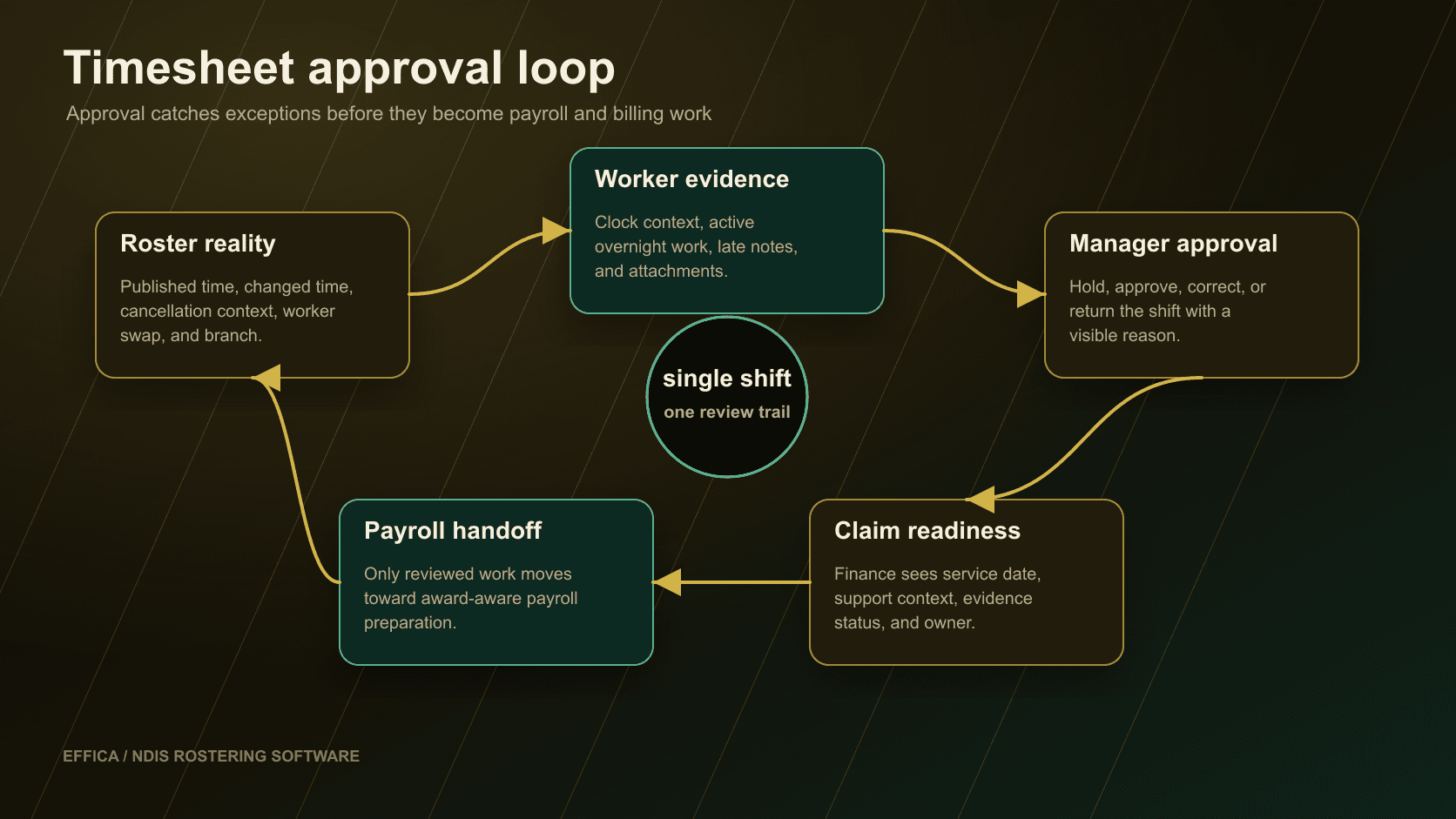
Approval is where roster reality meets payroll risk.
Timesheet approval should catch the operational exceptions
Fair Work says employers must keep accurate employee records and issue pay slips, including records about hours worked and wages paid. Source: Fair Work record-keeping and pay slips.
For NDIS providers, the approval screen should make exceptions visible before payroll export: missed clock events, active work during an overnight period, late mobile notes, unsent cancellation reasons, unapproved swaps, and shifts that no longer match participant funding or support context.
This is especially important in SIL, community access, in-home support, and high-volume rosters where one missed exception can turn into a payroll query, billing correction, safeguarding follow-up, or worker dispute.
The software should highlight review points.
Keep SCHADS checks assistive, not automatic payroll advice
The Fair Work Ombudsman describes the SCHADS Award as covering many employees in social, community, home care and disability services. Source: Fair Work SCHADS Award summary.
Rostering software should help managers identify review points such as sleepovers, active overnight support, public holidays, overtime, allowances, broken shifts, and changed employment context. It should not pretend to replace payroll advice, award interpretation, or provider compliance judgment.
Effica's approach is workflow support: surface the roster facts, evidence, approval status, and export boundary so the right reviewer can make the right decision before payroll is finalised.
Fair Work SCHADS Award summary
Official Fair Work summary for the Social, Community, Home Care and Disability Services Award.
Effica billing software
Review how approved service evidence flows toward claims and reconciliation.
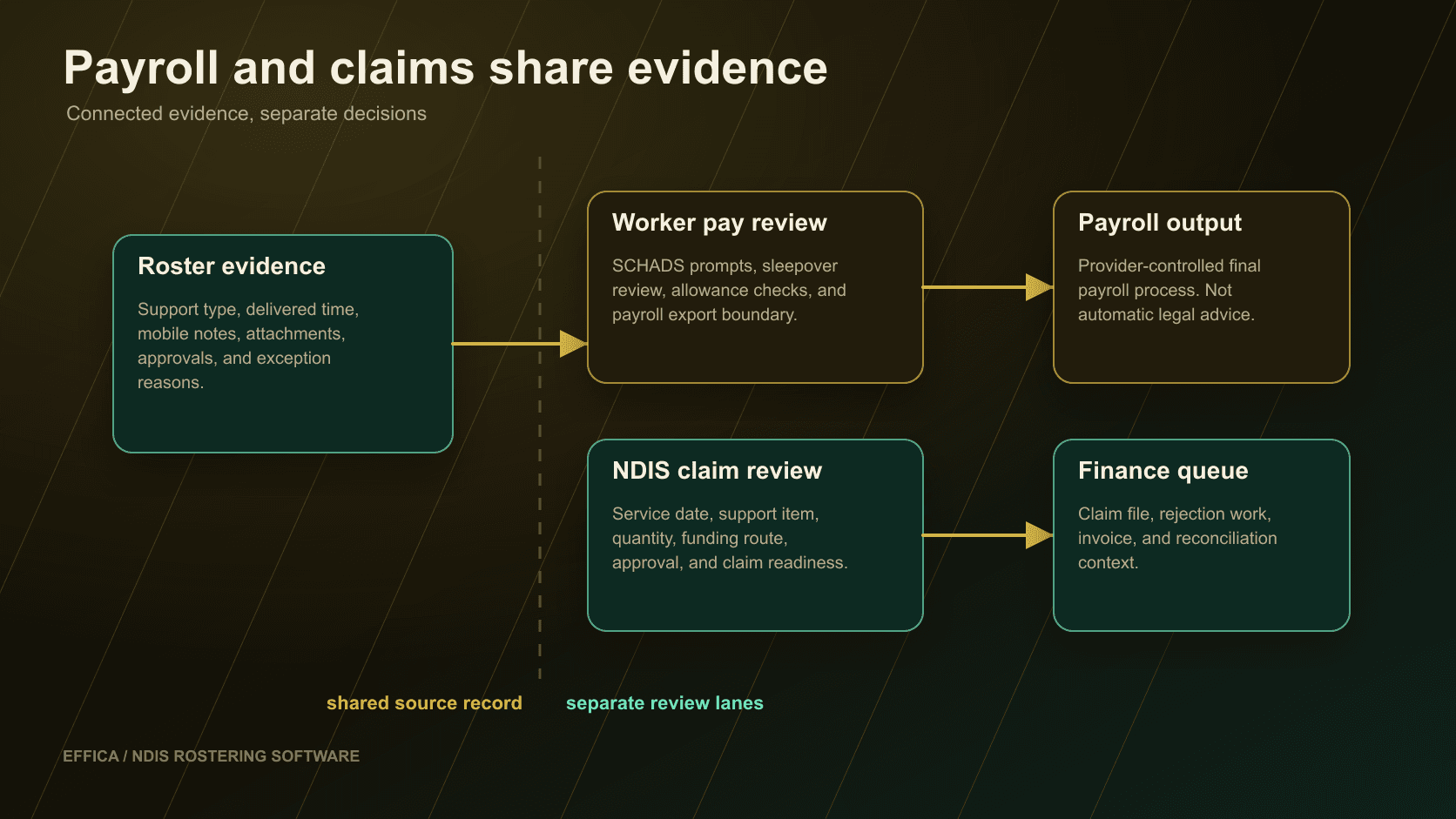
Rejected lines often point back upstream.
Claim readiness starts before the finance queue
NDIS payment request guidance explains single and bulk payment request pathways and says rejected claims show a status and error message explaining what needs to be fixed before resubmission. Source: NDIS payment request guidance.
That makes roster and timesheet quality a finance control. The finance queue needs the service date, support item, participant plan context, quantity, approval status, evidence status, cancellation context, and exception owner before a claim line becomes a portal file or invoice.
The related NDIS billing software article covers the next loop: bulk payment review, rejected lines, Xero reconciliation, and the audit trail behind the money.
Look for the handoffs, not only the calendar.
What to check before choosing NDIS rostering software
A useful buyer checklist should include worker availability, participant context, mobile evidence, shift notes, cancellation handling, warning states, manager approval, SCHADS-aware review prompts, finance handoff, claim-readiness context, and audit history.
Also check whether the product has public security posture, source-backed education, and clear implementation support rather than vague promises. Effica publishes its security page, support page, and source-backed articles so providers can inspect the workflow thinking before a sales call.
If your current process depends on roster exports, payroll spreadsheets, manual claim checks, and after-the-fact evidence gathering, the next step is to book an Effica workflow review and walk through the roster-to-claim path.
The buyer question is not whether a roster can be published. It is whether the same record can explain delivery evidence, approval, payroll handoff, billing readiness, and compliance context when the provider needs to review it.
Continue with Effica
If your roster, timesheets, payroll checks, and claims are still split across disconnected systems, book a personalised Effica walkthrough and review the roster-to-claim workflow.
Review the rostering workflowRelated Effica pages
NDIS rostering software
Review the public product page for roster evidence, approvals, payroll handoff, and claim readiness.
View pageSCHADS sleepover changes
Read the related SCHADS article on sleepovers, mobile evidence, payroll, and claims.
View pageSIL rostering software
Review shared supports, sleepovers, roster-of-care context, and SIL funding boundaries.
View pageNDIS billing software
Continue into claim preparation, rejected lines, Xero reconciliation, and finance audit trails.
View pageNDIS compliance software
Review how incident, complaint, evidence, and follow-up workflows stay connected.
View pageContinue reading
More from the Effica blog
NDIS CRM software buyer guide
NDIS CRM software: choosing a system for participant relationships
A practical buyer guide to participant records, consent, agreements and service handoffs in an NDIS provider CRM.
Read articleMy provider relationships
NDIS my provider relationships: software checks for onboarding and claims
A practical workflow for keeping participant communication, my provider relationship requests, service agreements, role dates and claim review connected.
Read articleReferral intake and onboarding
NDIS referral management software: intake to service start
A practical workflow for moving an NDIS referral through consent, suitability, support planning, agreements and a reviewable service-start handoff.
Read article