NDIS billing software should close the claim-to-reconciliation loop
A practical finance article for NDIS providers who need claim inputs, payment-review evidence, bulk payment requests, and Xero reconciliation to stay connected.
4
finance loops to close
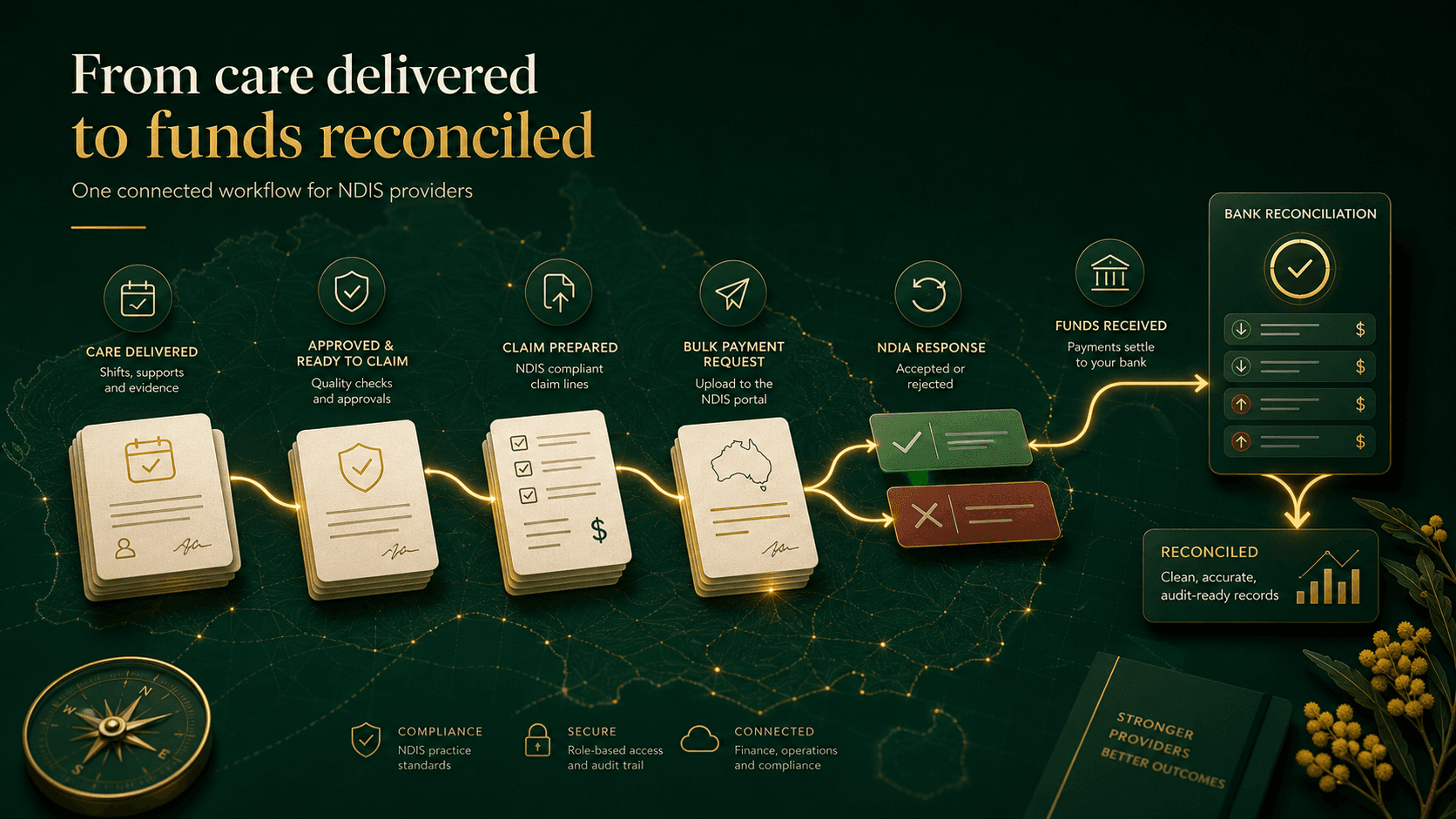
The clean claim is built upstream.
Billing starts before the claim file
For an NDIS provider, billing does not start when someone opens Xero or uploads a file. It starts when a support is planned, delivered, evidenced, approved, and connected to the right participant funding context inside the provider operating workflow.
The current NDIS guide to getting paid lists claim inputs such as participant details, support dates, support item reference number, and support item price. Its timing rules have different scopes: payment requests generally need to be submitted within 2 years after support delivery, while the NDIA-managed section says a payment request must be submitted within 90 days from the end of a service booking. Providers should check the current NDIS guidance for the funding and claim context they are handling. Source: NDIS guide to getting paid.
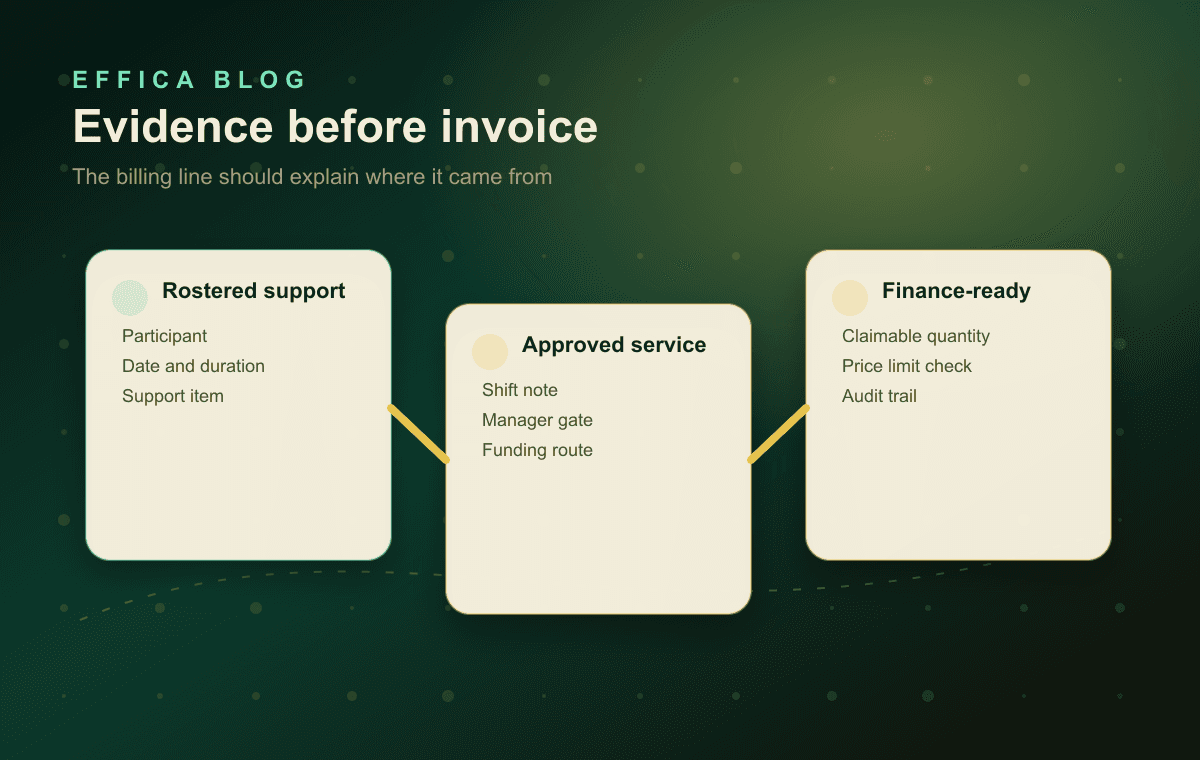
That matters because a claim line has to carry more than an amount. The finance team needs the participant, support item, service date, quantity, rate, funding route, approval status, and evidence trail to stay connected before the line becomes an invoice, a bulk payment request, a claim review, or a reconciliation item.
The provider-responsibilities guidance also frames this as an operating record problem: providers should keep accurate support records, invoice after delivery, request payment only after support delivery, and meet NDIA-managed payment timing. Source: NDIS provider responsibilities.
See Effica's connected modules
Participants, rostering, finance, compliance, workforce, and implementation in one workspace.
Review the platform workflow
How Effica keeps operational modules connected before finance takes over.
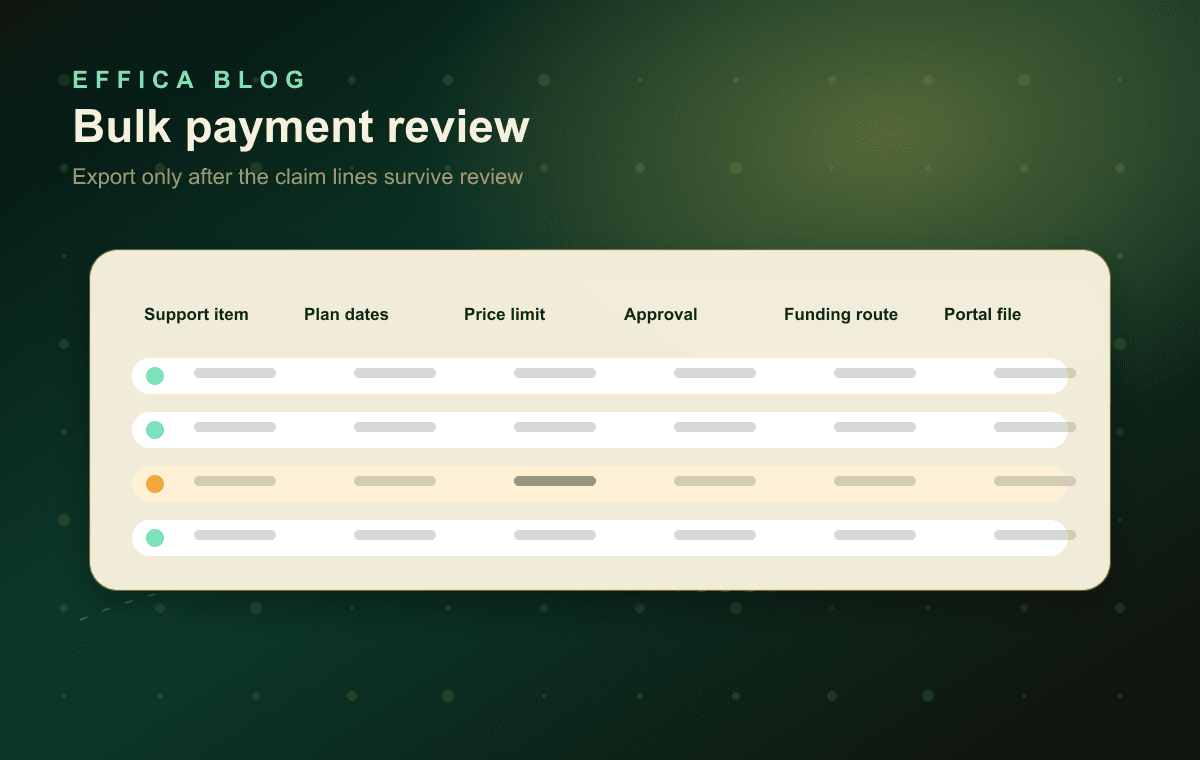
A file export is not the control. The review before export is.
Bulk payment files need reviewable inputs
The NDIA says providers can make single claims through the payment request tile or bulk claims through the bulk payment request upload tile in the myplace provider portal. It also says providers must use bulk payment requests for supports delivered to participants with plans in the newer computer system. Source: NDIS payment request guidance.
That turns export quality into an operating-control problem. Good NDIS billing software should stage claim lines before export so managers can see missing support items, stale plan dates, price-limit questions, uncoded travel or non-face-to-face time, and unapproved shifts before the file reaches the portal.
NDIS: How to make a payment request
Official NDIS guidance for single and bulk payment request pathways.
NDIS: Pricing arrangements and price limits
Current official pricing arrangements and price-limit source for support checks.
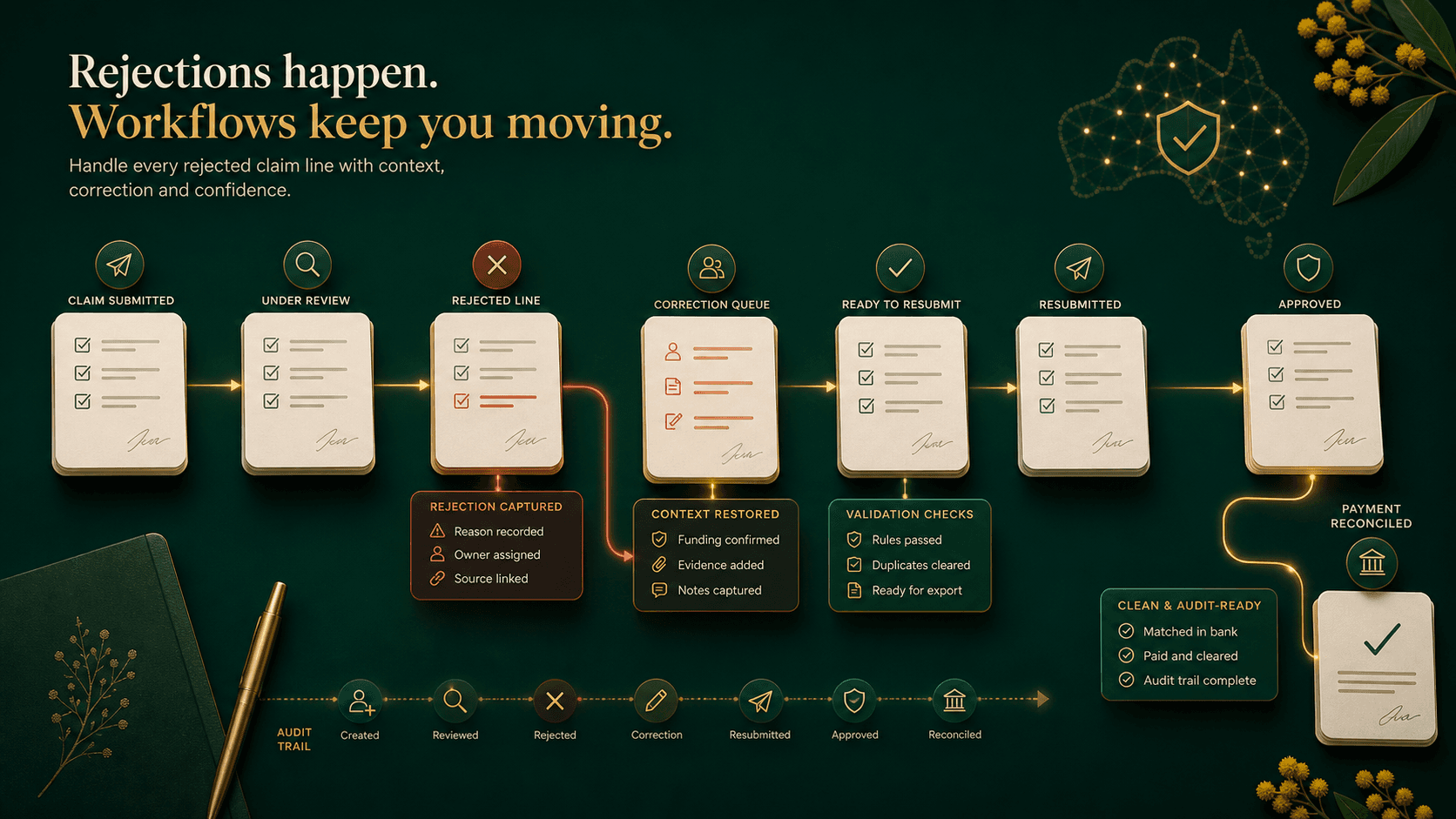
Every rejected line is a workflow signal.
Rejections should come back as work, not spreadsheet noise
Current NDIS payment guidance says rejected claims show a rejected status in the myplace provider portal and an error message explaining what needs to be fixed before resubmission. The guide to getting paid also says claims may be reviewed before or after payment, providers get at least 14 business days to provide requested information, and a claim submitted more than 6 months after service delivery may be held for review. Sources: NDIS payment request guidance and NDIS guide to getting paid.
All ordinary payment claims are submitted through myplace, including single and bulk claims. Claim and payment enquiries—and approved NDIS replacement-support claims—use the my NDIS provider portal. Most validation errors should therefore return to the myplace correction and resubmission workflow; unresolved claim or payment questions belong in the enquiry pathway. Source: NDIS provider portal guidance.
For providers, the weak point is rarely seeing that a line failed or was held. The weak point is keeping the reason, owner, correction, source support, due date, response evidence, portal pathway, and audit trail together. A useful queue should preserve the original claim file, failed or reviewed line, rejection or review reason, corrected support context, next owner, enquiry reference when needed, and re-export status.
That is also why the workflow should link back into rostering and service delivery context, not sit as a standalone finance spreadsheet.
NDIS: Guide to getting paid
Official payment timing, claim-review, and provider responsibility context.
Effica security and trust
Why audit trails, permissioning, and tenant isolation matter for finance workflows.
Xero can be the accounting ledger. The provider system has to keep the NDIS evidence.
Xero reconciliation needs the NDIS trail
Xero describes bank reconciliation as matching bank statement lines to transactions such as invoices, bills, and payments, with bank feeds and suggested matches helping reduce manual work. Source: Xero Central bank reconciliation guidance.
That accounting workflow is valuable, but it does not replace the NDIS-specific context behind a claim. The provider workspace still needs claimed amount, paid amount, payment request reference, invoice number, participant or funder, support dates, capped status, rejection status, and exception owner in one place.
Otherwise the accounting record can reconcile while the NDIS operating trail remains unclear. This is where the software decision becomes bigger than a Xero export: the provider needs a live connection between service evidence, claim outcome, and reconciliation.
Xero: Reconcile your bank account
Xero's official bank reconciliation overview for matching statement lines to transactions.
Xero: Find and match
Xero's guidance for finding existing invoices, bills, credit notes, and account transactions.
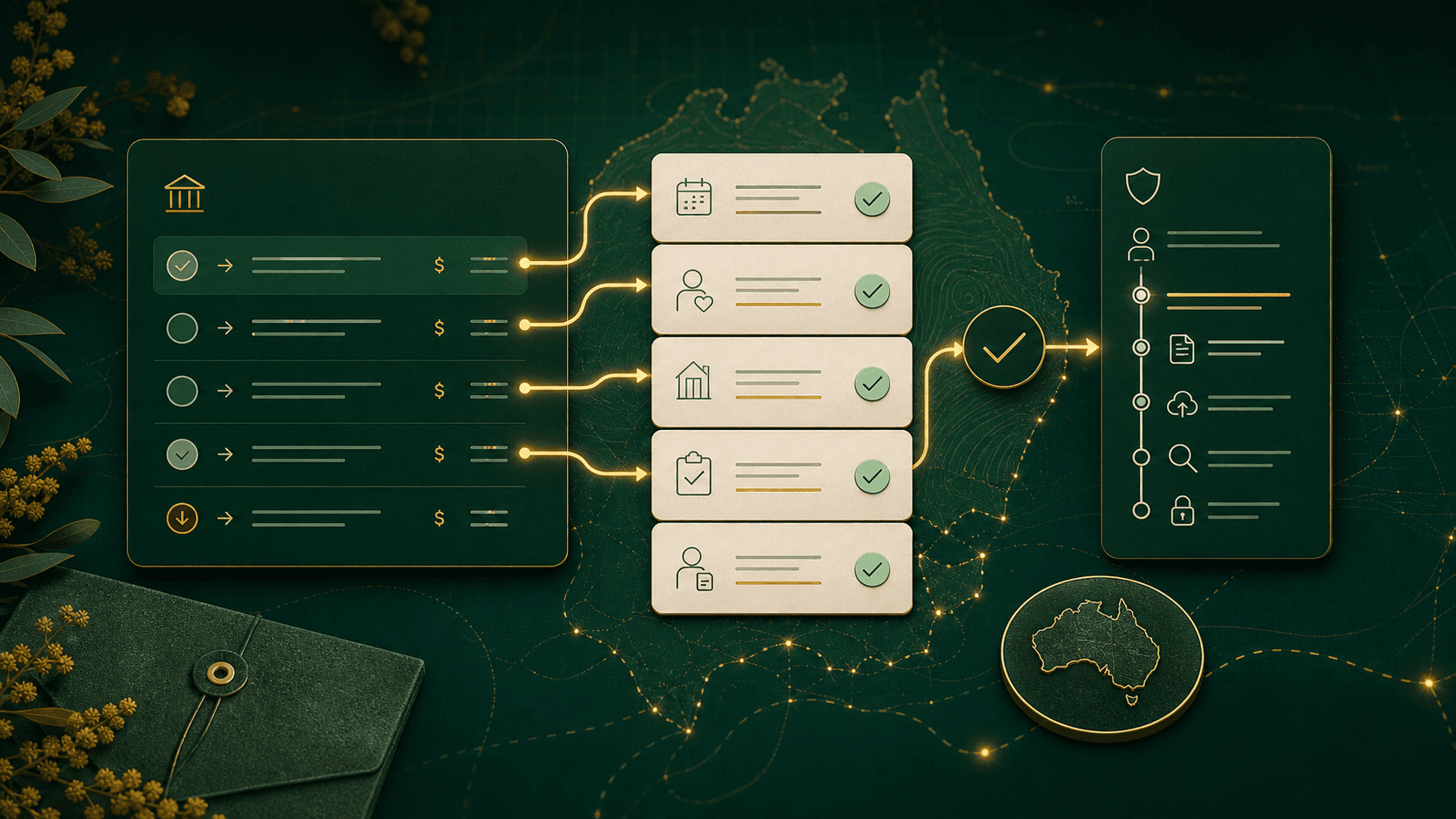
Speed matters only when the trail stays intact.
What to look for in NDIS billing software
Do not judge NDIS billing software only by how quickly it creates an invoice. Look for approval gates before billing, current pricing and support-item checks, bulk payment file review, rejection and payment-review queues, Xero export or sync controls, payment-result matching, permissioned changes, and clear audit history.
Effica is being built around that connected finance model. Rostering, service agreements, shift evidence, approved service lines, invoices, funding, and reconciliation should sit in one operating chain so providers can move faster without losing the context required for review.
If that is the workflow your team is trying to clean up, the next step is to review the Effica operating platform against your current billing and reconciliation process.
Book a workflow review
Review your claim, rejection, and reconciliation workflow against Effica.
Effica support
Contact the Effica team if you need help with the public site or product access.
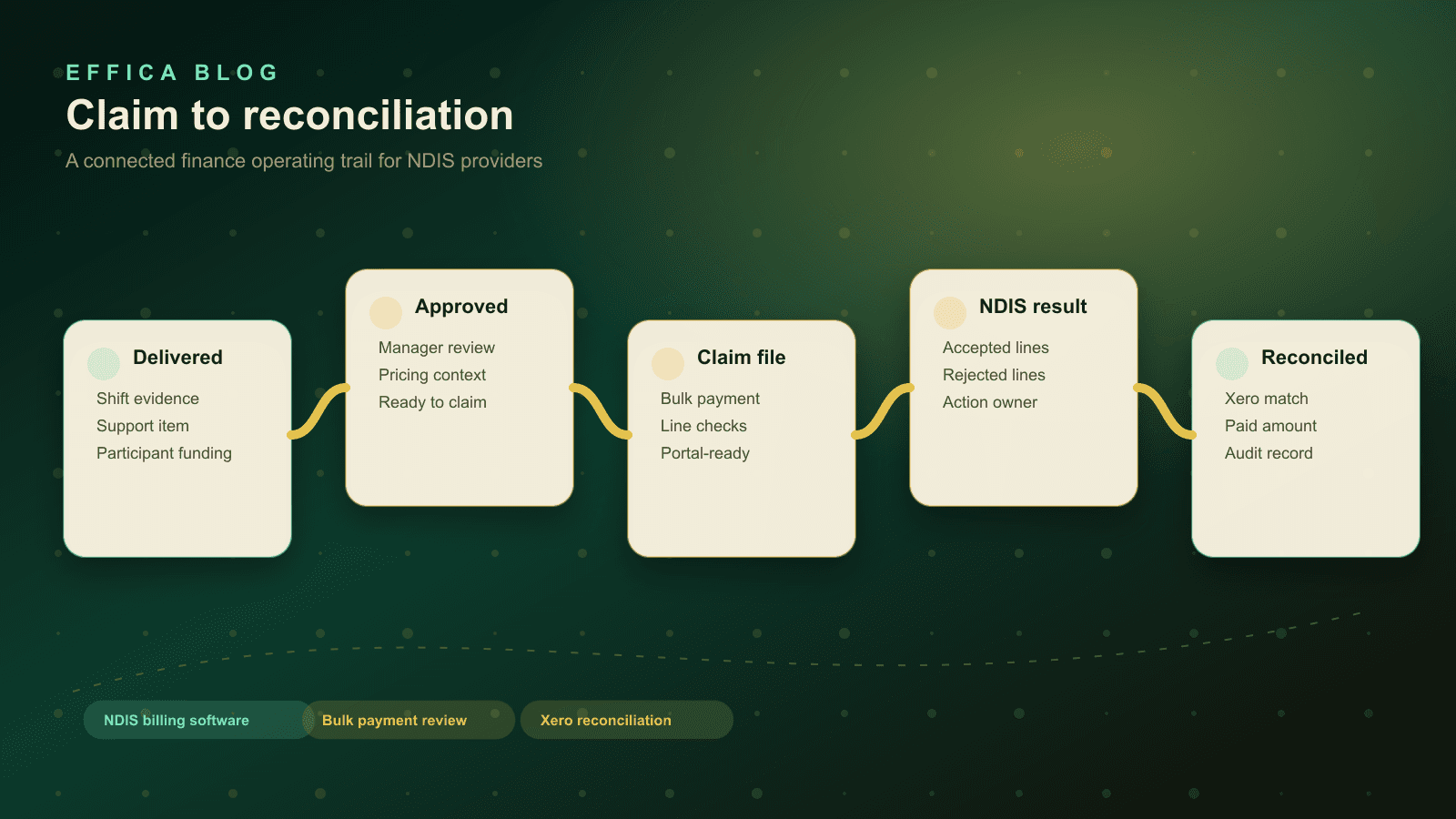
The buyer question is not "can this make an invoice?" It is whether every claim line can be traced back to the support, pricing context, approval, portal result, and accounting reconciliation.
Continue with Effica
If your finance team is still reconciling NDIS payment results in spreadsheets, book a personalised Effica walkthrough and review the claim-to-reconciliation workflow.
Review the finance workflowRelated Effica pages
NDIS billing software
Review the public product page for claim preparation, rejected lines, and reconciliation workflows.
View pageNDIS 2026-27 pricing checklist
Review the companion pricing-cycle checklist for billing and Xero reconciliation.
View pageEffica connected operating modules
See the participant, rostering, finance, compliance, workforce, and implementation surfaces this article depends on.
View pageEffica security and trust
Review the public security posture behind audit trails, permissions, and tenant-scoped provider data.
View pageBook a billing workflow review
Walk through claim review, rejection handling, and Xero reconciliation with the Effica team.
View pageContinue reading
More from the Effica blog
NDIS CRM software buyer guide
NDIS CRM software: choosing a system for participant relationships
A practical buyer guide to participant records, consent, agreements and service handoffs in an NDIS provider CRM.
Read articleMy provider relationships
NDIS my provider relationships: software checks for onboarding and claims
A practical workflow for keeping participant communication, my provider relationship requests, service agreements, role dates and claim review connected.
Read articleReferral intake and onboarding
NDIS referral management software: intake to service start
A practical workflow for moving an NDIS referral through consent, suitability, support planning, agreements and a reviewable service-start handoff.
Read article