NDIS progress notes software: mobile capture, manager review, record keeping and AI privacy
How NDIS providers can capture case notes on mobile, connect delivered supports with participant goals, review records promptly, and set safe boundaries for AI assistance.
5
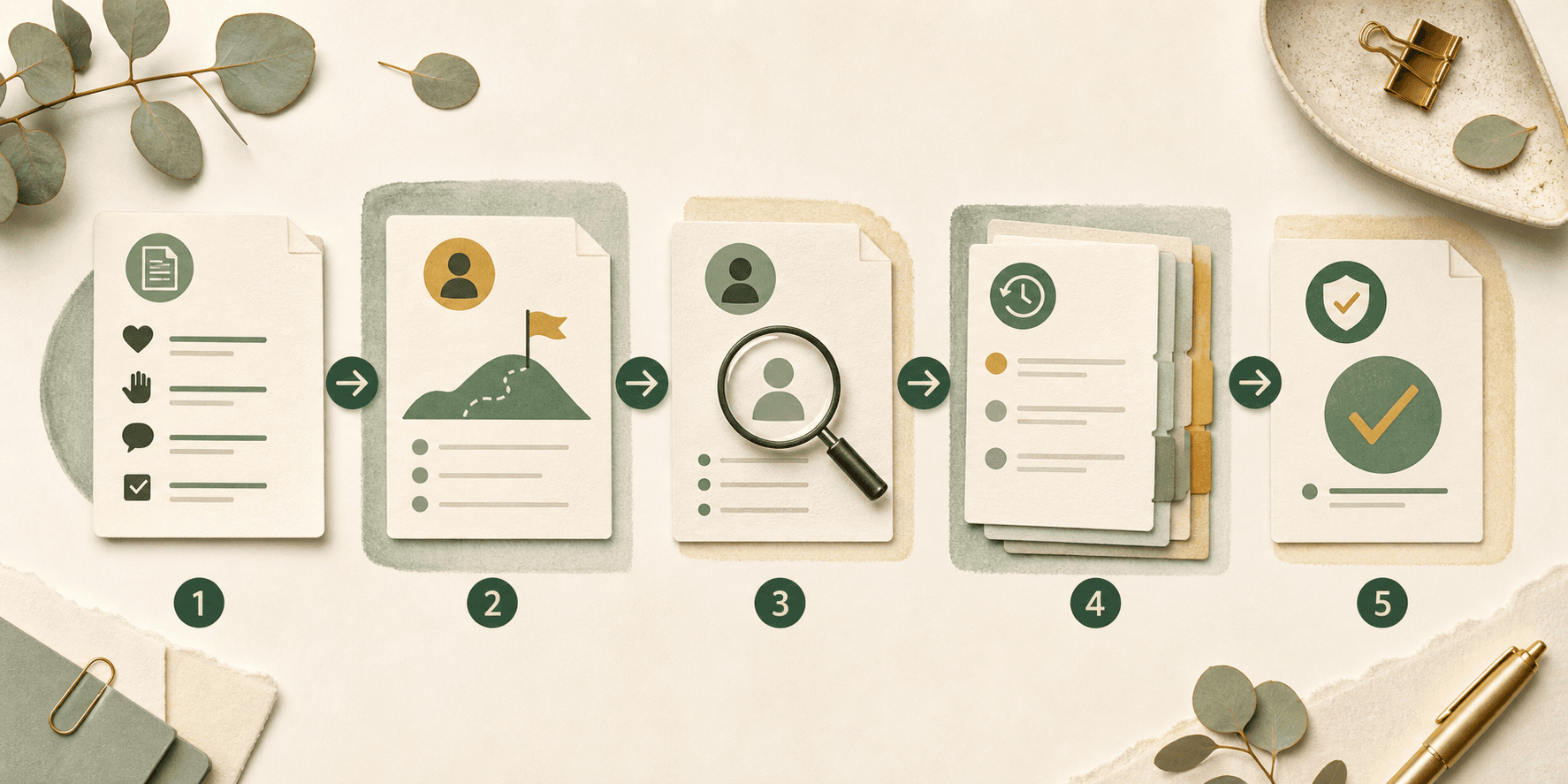
connected checkpoints from delivered-support facts to an approved, reviewable record

A useful case note explains what happened and why it belongs to this support record.
Start with the support delivered, not a compliance slogan
The NDIS says providers need complete and accurate records of supports delivered. Its current record-keeping guidance describes case notes as records of the activities a participant engaged in, how those activities relate to the support item and participant goals, and potentially the participant's progress and plans for future sessions. Source: NDIS record-keeping requirements.
For software buyers, that means a progress-note workflow should keep the participant, delivered support, roster or shift, author, date and time, factual observations, relevant goal context, and follow-up together. A blank text box with a mandatory-word counter does not create a better record.
Effica's support-worker mobile app is the primary product path because the evidence begins with the worker and should reach the office without being copied through messages or spreadsheets.
Connection improves context; it should not turn a note into an invented outcome claim.
Connect case notes to support items and participant goals
The same NDIS guidance links case notes to support items, participant goals, progress, and future sessions. A practical workflow can surface those references beside the note while keeping the worker responsible for recording what they actually observed.
Useful prompts are bounded: which scheduled support was delivered, what activity occurred, what was observed, whether the participant's stated goal context is relevant, and whether follow-up is needed. The system should not ask workers to diagnose, exaggerate progress, or paste a generic template into every record.
The wider NDIS provider software workflow matters because the case note should remain connected to authorised participant, service-delivery, rostering, and compliance context rather than becoming an isolated document.
Fast field capture and accountable office review solve different parts of the problem.
Capture on mobile, then give managers a real review queue
The NDIS Quality and Safeguards Commission's information-management indicators call for participant information to be identifiable, accurately recorded, current, confidential, and recorded accurately and in a timely manner. Source: NDIS Practice Standards - information management.
Mobile capture should support drafts, an explicit submission moment, offline-safe recovery, and clear authorship. Manager review should then surface missing context, late entries, copied language, corrections, related incidents, and notes returned to the worker with a reason.
Approval should not erase the original. Keep the submitted record, correction history, reviewer, decision time, and reason so the provider can explain how the final record was produced.
NDIS compliance software
Connect record review with permissions, incidents, complaints, and audit evidence.
Effica security
Review Effica's public security, access-control, and audit posture.
One observation may require another workflow without turning every note into an incident report.
Keep progress notes, incidents, and handovers distinct but connected
A progress note records the delivered support and relevant observations. A handover communicates what the next worker or manager needs to know. An incident workflow handles an event that needs its own triage, notification, evidence, follow-up, and closure controls.
Software should let an authorised worker or reviewer link those records without silently copying sensitive detail between them. It should also make ownership clear: a flagged note needs a named reviewer and status, while an incident follows the provider's separate reporting process.
For the incident side of that boundary, see Effica's source-backed guide to incident evidence and follow-up.
AI may assist a bounded writing or review step; it does not become the record author or final decision-maker.
Set privacy and human-review boundaries before using AI
The OAIC says privacy obligations apply to personal information entered into or generated by AI. Its guidance recommends due diligence, privacy-by-design, appropriate human oversight, ongoing monitoring, and avoiding personal or sensitive information in publicly available generative AI tools. Source: OAIC guidance on commercially available AI products.
Before enabling AI assistance for progress notes, ask what data leaves the provider environment, where it is processed and stored, who can access it, whether inputs or outputs train a model, what retention applies, and how the worker or reviewer verifies every suggested statement against source facts.
A safer pattern is optional and bounded: minimise the context, show the source record, label the suggestion, require a human edit or acceptance, preserve attribution, and audit the final decision. Effica is a workflow support tool, not the source of NDIS rules, privacy advice, or clinical judgement.
AI-assisted NDIS operations guardrails
Use the wider buyer checklist for privacy, human review, sources, and auditability.
Effica privacy
Review Effica's public privacy information before evaluating sensitive workflows.

Test one real note from mobile draft to approved record before comparing feature lists.
A buyer checklist for NDIS progress-notes software
Ask whether the software links the note to the correct participant, delivered support, shift, author, time, and goal context; supports offline recovery; distinguishes drafts from submitted records; and shows the worker exactly what will be shared.
Then test manager queues, return reasons, late-note visibility, correction history, permissions, participant access, related incident and handover links, export, retention, and audit evidence. If AI is offered, test privacy settings, source grounding, human approval, and whether the provider can disable it.
The practical next step is to walk through a de-identified note from scheduled support to mobile capture, manager review, correction, approved record, and any linked follow-up with the Effica team.
A useful progress-note workflow preserves delivered-support facts, participant-goal context, authorship, manager review, correction history, access controls, and any AI assistance without pretending software replaces provider judgement.
Continue with Effica
If progress notes still move through paper, messages, generic forms, and manual follow-up, book a de-identified Effica workflow review from field capture to approved record.
Review Effica's support-worker mobile workflowRelated Effica pages
Support-worker mobile app
Review the primary field-to-office workflow supported by this article.
View pageNDIS compliance software
Connect notes with permissions, incidents, complaints, and review evidence.
View pageNDIS provider software
See how participant, workforce, rostering, and compliance records connect.
View pageAI-assisted NDIS operations
Review the wider AI privacy and human-approval buyer checklist.
View pageEffica security
Review public information about sensitive records, access, and auditability.
View pageEffica support
Discuss implementation and record-review workflows with Effica.
View pageContinue reading
More from the Effica blog
NDIS CRM software buyer guide
NDIS CRM software: choosing a system for participant relationships
A practical buyer guide to participant records, consent, agreements and service handoffs in an NDIS provider CRM.
Read articleMy provider relationships
NDIS my provider relationships: software checks for onboarding and claims
A practical workflow for keeping participant communication, my provider relationship requests, service agreements, role dates and claim review connected.
Read articleReferral intake and onboarding
NDIS referral management software: intake to service start
A practical workflow for moving an NDIS referral through consent, suitability, support planning, agreements and a reviewable service-start handoff.
Read article